- A hybrid MIDI keyboard gives beginners keys and pads in one device.
- Dedicated drum pads suit serious finger-drummers.
- Choose 25 keys for compact production and more keys for piano-led work.
- Check current compatibility on the manufacturer’s product page.
“Should I buy drum pads or a MIDI keyboard?” is one of the most common questions from new producers, and the honest answer is that most people don’t have to choose. Both are widely used in home studios for beat and melodic work, and the right pick depends entirely on how you make music, not on which one is objectively “better.”
This guide breaks down what each device does best, who should buy which, why a hybrid controller is the right answer for most beginners, and what to buy at every budget.
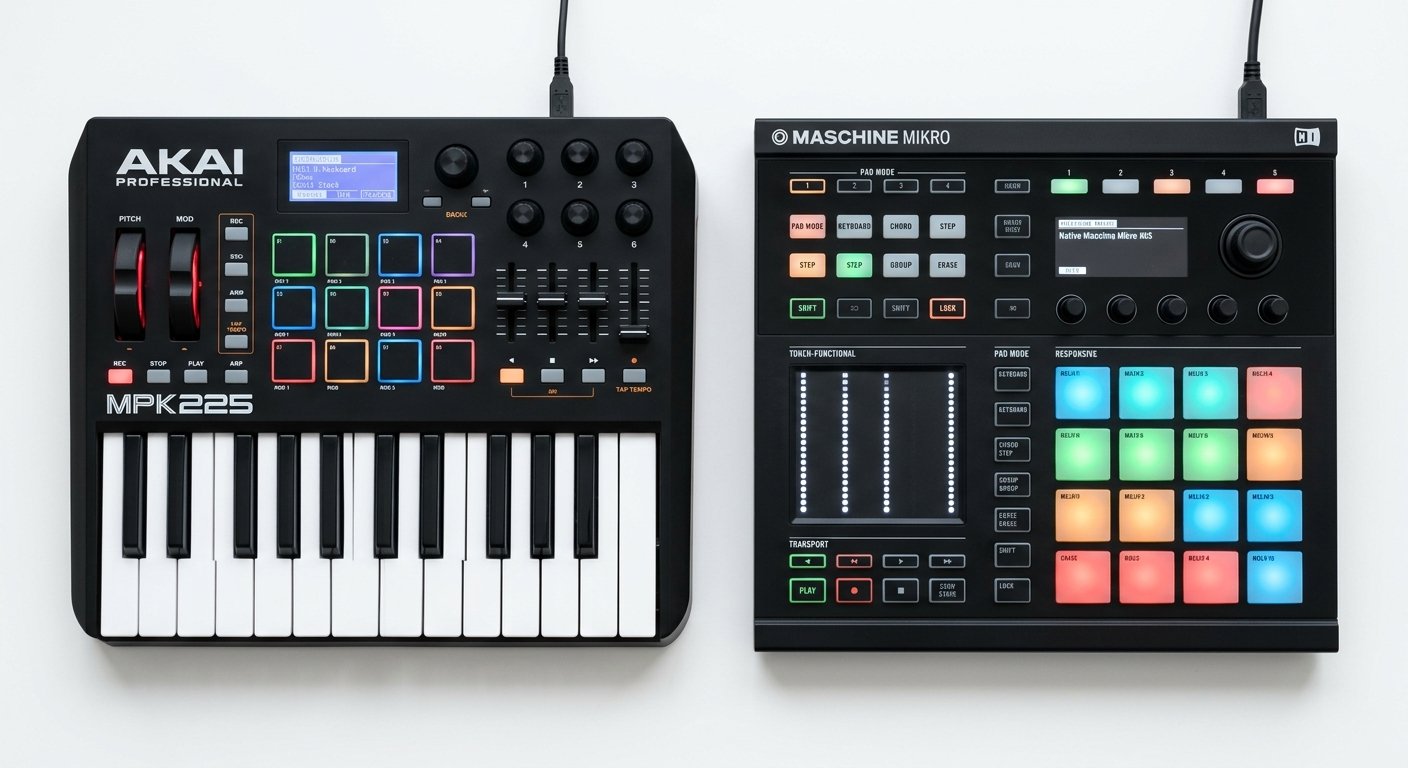
MIDI Keyboard vs Drum Pads: What’s the Difference?
| Feature | MIDI Keyboard | Drum Pads |
|---|---|---|
| Best for | Melodies, chords, basslines | Beats, drums, samples |
| Input method | Piano-style keys | Velocity-sensitive rubber pads |
| Learning curve | Helped by piano knowledge | Finger-drumming skill |
| Expressiveness | Velocity, aftertouch, pitch bend | Velocity, pressure, note repeat |
| Desk space | Wider (25 to 88 keys) | Compact square unit |
| Typical price | ~$60 to $250 | ~$100 to $250 |
| Does the other job? | Yes, if it has pads | No, there are no keys |
How We Choose
These picks are compiled from manufacturer specifications, published measurements, and the documented consensus of professional reviewers and working producers. We compare published key counts, pad complements and pad sizes, DAW integration and connectivity specifications directly against manufacturer documentation, and weigh them against how each controller is discussed across established review outlets and production communities.
We do not conduct independent hands-on testing of every product listed. Where a specification matters to a buying decision, we cite the manufacturer’s own documentation so you can verify it yourself. Prices are approximate and change frequently, so check current listings before purchasing.
When to Buy a MIDI Keyboard
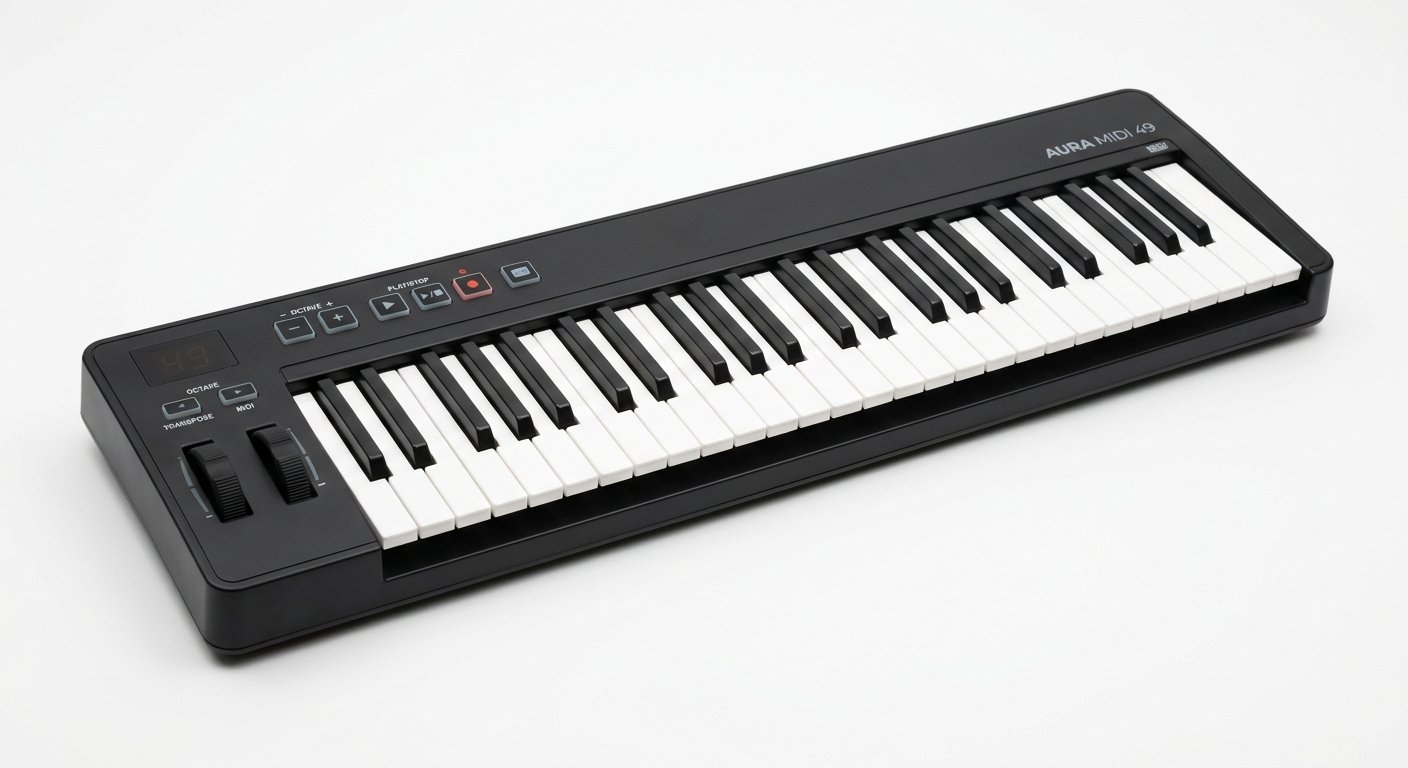
A MIDI keyboard is the right choice if you primarily play melodies, chords, basslines, and instrument parts. If you have any piano background at all, keys will feel immediately natural, and you’ll be able to play harmonies, leads, and voicings that are awkward or impossible on pads.
There’s a practical argument too: most producers spend more time entering melodic and harmonic material than programming drums. Chords, bass, leads, pads, strings, and piano parts all live on a keyboard. Drums are usually a smaller slice of the session. That makes a keyboard the more versatile single purchase for the majority of people.
Keys also unlock things pads simply cannot do: sustained notes, expressive pitch bends, mod-wheel filter sweeps, and the ability to learn music theory as you play. Scale and chord modes on modern controllers mean even non-pianists can play in key from day one.
Buy a keyboard if: you play piano, write melodies and chord progressions, produce songs rather than beats, or want the most versatile single controller.
Skip it if: your music is entirely drum and sample driven and you never play melodic parts, rare, but it happens.
When to Buy Drum Pads
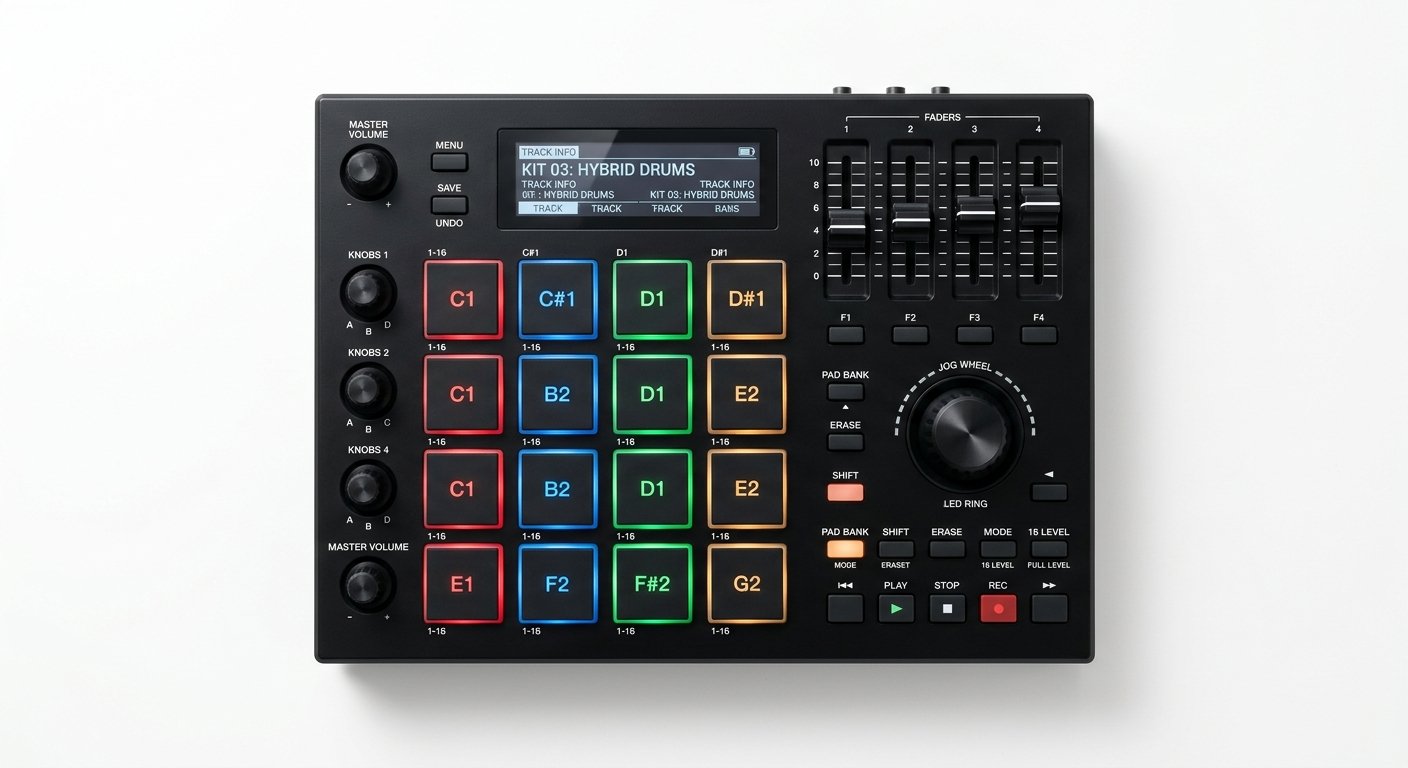
Dedicated drum pads are the right choice if you’re a serious beatmaker or finger-drummer. Standalone pad controllers like the Akai MPD226 have significantly larger, thicker, more expressive pads than the small ones built into keyboards, and that difference is real once you start playing dynamically.
What you gain with dedicated pads:
- Size. Bigger pads mean fewer mis-hits and more comfortable two-handed drumming.
- Velocity response. A wider, more forgiving velocity curve, so ghost notes and soft hits register the way you intend.
- Note Repeat. Hold a pad and it retriggers in time with your tempo, essential for hi-hat rolls and trap-style patterns.
- Full Level. Every hit fires at maximum velocity, useful for programming consistent kicks and snares.
- Pad banks. More pads across multiple banks means an entire kit plus samples under your fingers.
If drums and sample triggering are genuinely the core of what you make, and you’ve outgrown the eight small pads on a keyboard, dedicated pads earn their place on the desk.
Buy dedicated pads if: you finger-drum seriously, make beat-driven music (hip-hop, trap, drum and bass), or already own a keyboard and want better pads alongside it.
Skip it if: you’re a beginner buying your first controller. Pads alone leave you unable to play a single chord.
Akai MPD226
16 large MPC-style pads plus knobs and faders: the best dedicated pad controller for beatmakers who need expressive drums.
Check Price on AmazonThe Best Answer for Most People: A Hybrid Controller
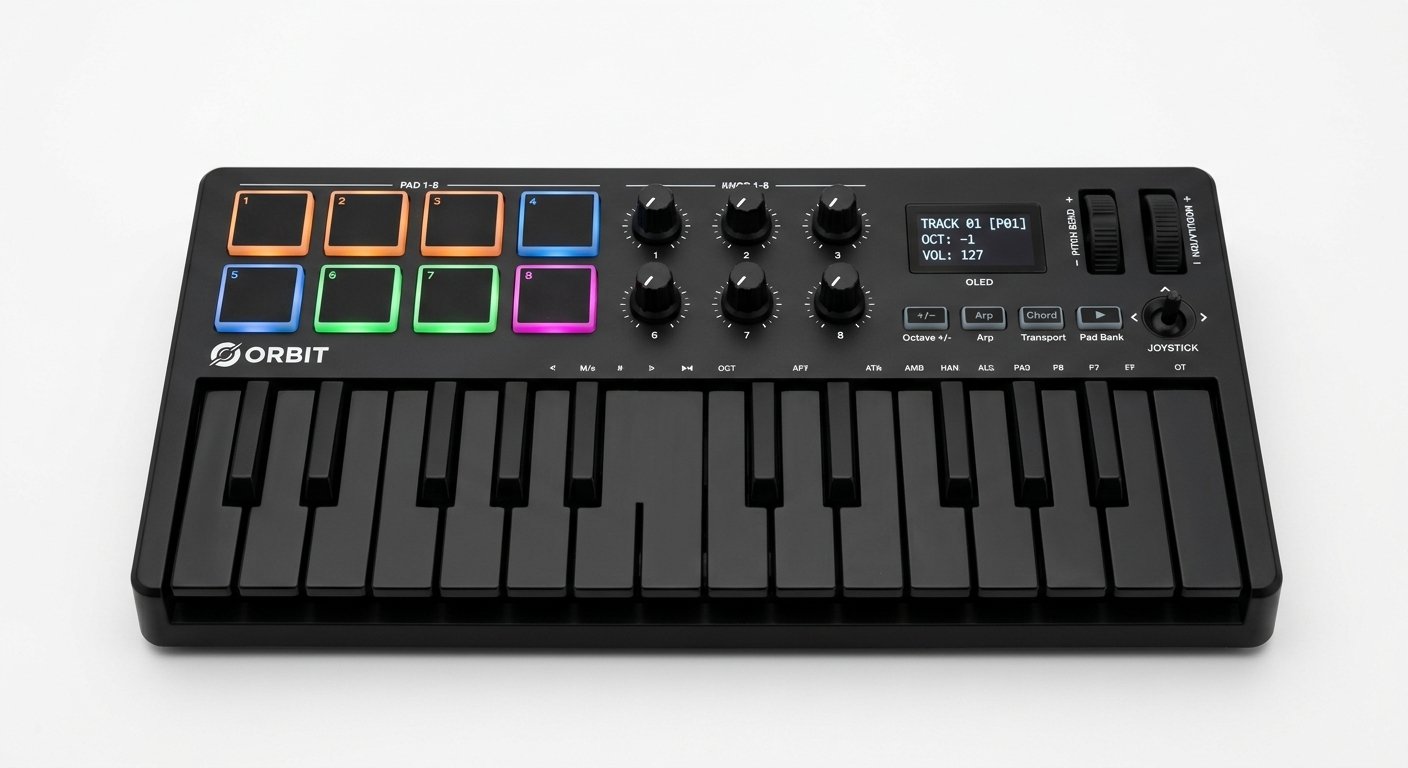
Here’s the insight most beginners miss: this is usually a false choice. Most modern MIDI keyboards already include drum pads.
A controller like the Akai MPK Mini MK4 gives you 25 velocity-sensitive keys and 8 MPC-style pads in a single unit for around $99. You can play a chord progression, then flip to the pads and program a beat, without buying, powering, or finding desk space for two separate devices.
The built-in pads on a good hybrid are genuinely capable. Akai puts its MPC pad technology in the MPK Mini; Arturia’s MiniLab 3 has 8 RGB pads across two banks (16 total); Novation’s Launchkey has 16 pads with polyphonic aftertouch. These are not token additions, they’re usable, expressive pads.
For the vast majority of beginners and home producers, this hybrid approach is the smartest, most affordable path. You get both capabilities, you spend less, and you keep your desk clear.
Akai MPK Mini MK4
25 keys AND 8 MPC-style pads in one affordable unit: play melodies and program beats without buying two devices.
Check Price on AmazonWhat About a Pad Grid?
There’s a third option worth knowing about: pad grids like the Novation Launchpad X (~$199). These aren’t drum pads in the MPC sense, they’re an 8×8 grid of 64 RGB pads built for launching clips in Ableton Live and playing melodies in Note mode.
A pad grid is a different tool for a different job. If you build tracks by triggering loops and clips in Ableton’s Session View, a Launchpad transforms your workflow. But it’s not a finger-drumming controller in the way an MPD is, and it has no keys at all.
Most Ableton producers eventually run a keyboard controller and a Launchpad side by side. But that’s a phase-two purchase, not a first controller. For more on this, see our guide to the best MIDI controller for Ableton.
How to Decide
1. What do you actually make?
Be honest here, not aspirational. If you’re writing songs with chords and melodies, you need keys. If you’re making beat-driven music where drums carry the track, pads matter more. If it’s both, which is most people, get a hybrid.
2. What’s your budget?
If you can only buy one device, a keyboard-with-pads hybrid gives you the most capability per dollar by a wide margin. At around $99 the MPK Mini MK4 covers both jobs. Buy a dedicated pad controller later, as a second device, if and when you outgrow the built-in pads.
3. What’s your background?
Piano players gravitate to keys; drummers and beatmakers to pads. But even if you can’t play piano at all, keys are worth learning, entering chords and basslines is a fundamental production skill, and modern Scale and Chord modes make it easy to play in key from your first session.
4. How much desk space do you have?
A 25-key hybrid is compact enough for almost any desk. Two separate devices (keyboard plus pad controller) take up considerably more room. If your setup is a laptop on a small table, the hybrid is the practical answer.
Buying Recommendations by Scenario
Complete beginner, first controller, tight budget. Akai MPK Mini MK4 (~$99). Keys plus MPC pads plus knobs and a software bundle. Nothing else at this price does as much.
You mostly play melodies and chords. A keyboard-focused controller like the Arturia KeyLab Essential or M-Audio Keystation. See our best 61-key MIDI controller guide for larger options.
You’re a dedicated beatmaker with a keyboard already. Add an Akai MPD226 (~$200). Bigger pads, Note Repeat, and a proper finger-drumming surface.
You produce in Ableton and work clip-first. Add a Novation Launchpad X (~$199) alongside a keyboard, not instead of one.
You want maximum hands-on control in a small unit. Arturia MiniLab 3 (~$109), 25 keys, 8 pads, 8 encoders, and 4 faders.
Frequently Asked Questions
Should I buy drum pads or a MIDI keyboard first?
Do I need both a MIDI keyboard and drum pads?
Are drum pads better than a keyboard for making beats?
Can you make beats on a MIDI keyboard?
What is the difference between drum pads and a pad grid like the Launchpad?
How many drum pads do I need?
Sources and review
Controller features and software compatibility should be verified before purchase. For current product specifications, consult the official Akai, Arturia and Novation product pages.
Compiled by the Shlohmo editorial team. Specifications checked for 2026 on 4 August 2026.
The Bottom Line
For most producers, the drum-pads-vs-MIDI-keyboard debate has a simple answer: buy a hybrid controller that has both.
A keyboard with built-in pads like the Akai MPK Mini MK4 lets you play melodies and program beats for around $99, no need to choose, no need to buy twice. Buy dedicated drum pads only if you’re a serious finger-drummer who has genuinely outgrown a keyboard’s built-in pads, and a keyboard-only controller if you exclusively play melodic parts and never touch drums.
Start with the hybrid. Add the specialist device later, once you know exactly what you’re missing.
For more options, see our guide to the best MIDI controllers and our best 25-key MIDI controller roundup, and complete your setup with the right audio interface and studio monitors.
Compiled by the Shlohmo editorial team. Recommendations are based on manufacturer specifications and published reviewer consensus, not independent hands-on testing, verified for 2026.
Related reading: Producers who want a more complete practice and performance setup can compare the best electronic drum sets for 2026.
Related reading: If you are choosing a first controller, see our guide to the best MIDI keyboard for beginners.